
How to Check Monitor Mounting Compatibility Before You Order
It usually surfaces at the worst moment. The carts are on site, someone unboxes the monitor, holds it up to the bracket — and the holes don't line up. Or they do line up, the screen goes on, and a week later the tilt joint has crept down under the weight.
We get the mounting questions after that moment far more often than before it. So here is the check we'd rather you run first. It takes one datasheet and about ten minutes.
Four checks, in this order
1. The pattern: two numbers, measured centre to centre
On the back of almost every medical display there's a square of four threaded holes. The mounting pattern is the distance between them, in millimetres — 75 × 75 and 100 × 100 are the two you will meet most often. Our BYLUM100D computer cart, for example, states display support for exactly those two patterns on its product page.
Get the pattern from the monitor's datasheet, not from a product photo. No datasheet? Photograph the back of the monitor with a ruler held across the holes and send us the photo. That one picture settles what three emails of guessing won't.
2. Weigh everything that hangs on the mount
Not just the screen. The bracket itself, a mini PC clipped behind the display, a battery, a scanner holder — if the mount carries it, it counts. Buyers routinely weigh the monitor, forget the 2 kg of hardware behind it, and spec the mount exactly at its limit. Leave headroom.
3. The rating that matters is the mount's, not the cart's
This is the mix-up we see most, and it's an easy one to make. A cart page may state a frame capacity of 100 kg — that's the frame. The display bracket on the same cart can be limited to 8 kg. Our BYLUM100D page gets asked about this so often that it carries an FAQ on the difference.
When you compare any cart, stand or mount, ask one question: what is the rated load of the mount itself? If the answer quotes the frame number, you haven't got the answer yet.
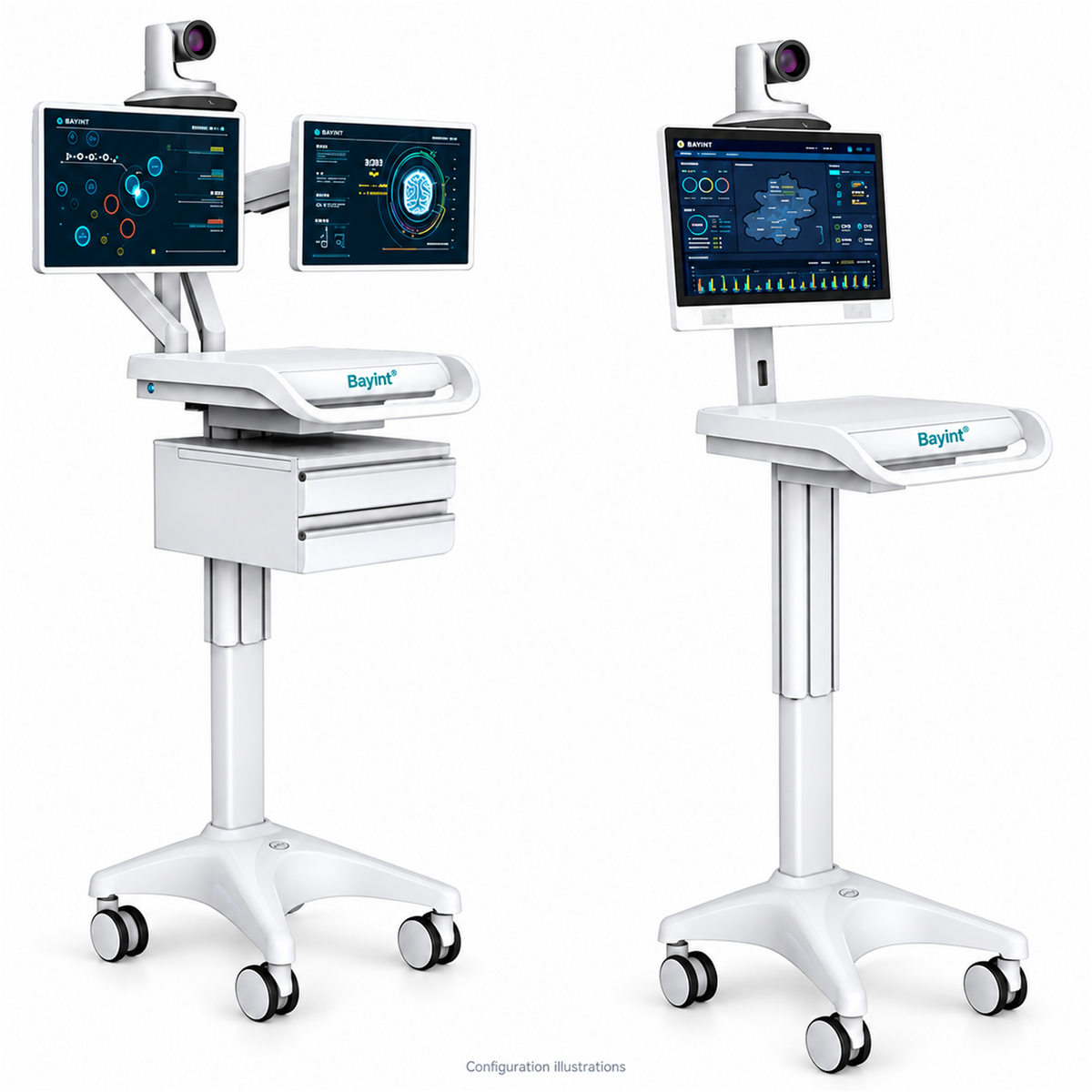
The BYLUM100D cart: a 100 kg frame rating and an 8 kg display limit, on the same product. Two different parts, two different numbers.
4. What's it bolted to?
A wall arm, a tabletop stand and a mount built into a mobile cart do different jobs, and the fixing surface decides which one you need. A wall that can't take the load, a desk that turns out to be a trolley, a pole nobody measured — each one turns into a re-order.
Support types aren't interchangeable either. In our mounts and support arms range, the wall mount arm, the tablet arm and the ventilator circuit support look like cousins. They are built for different devices and different loads, and swapping one for another is how fittings fail.
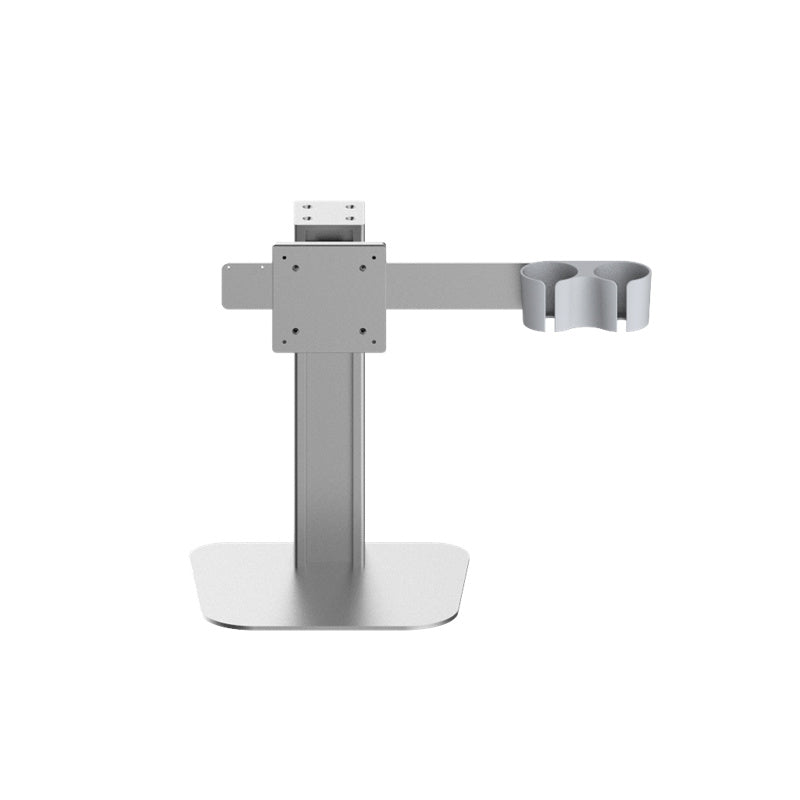
The BY-MA401 tabletop stand. Its product page publishes ±90° swivel and 0° to −25° tilt as reference values — movement ranges should be stated for the exact model, like this, not assumed.
The enquiry that gets a straight answer
Most mounting questions bounce back and forth because the first message is too thin to answer. Compare:
"Will your cart fit a 24-inch monitor?"
Honestly? Nobody can say. Screen size says nothing about the pattern or the weight.
"Monitor: 24 inch, 6.8 kg with stand removed, VESA 100 × 100, needs tilt for bedside viewing. Cart is for ward rounds. Quantity 12."
That one gets a yes or a no in a single round — and if it's a no, it gets the adapter or model that does fit.
Two smaller things that still bite
Movement under load. A tilt joint that holds an empty bracket proves nothing. Ask whether the adjustment stays set with the device fitted, and how cables are routed so they aren't pinched at the ends of the travel.
What's in the box. Plate, screws, spacers, adapter — ask which of these are included and who supplies an adapter if your monitor needs one. On quotation-based models, only what's listed in the quotation ships.
Before you sign
- Pattern and total weight confirmed against the exact model — in writing, not from a photo.
- The mount's own load rating, with headroom over your device's full hanging weight.
- Any adapter named and priced in the quotation.
- The fixing surface checked, and installation responsibility agreed.
Questions we actually get
My monitor is 100 × 100. Doesn't that fit everything?
It fits every bracket drilled for 100 × 100 — and says nothing about weight. A heavy display on the right pattern can still overload the mount or creep on the tilt joint. Pattern first, then weight, then rating.
The cart says 100 kg capacity. Surely a 9 kg monitor is fine?
On the frame, yes. On a display bracket limited to 8 kg, no. This is check 3 — the two numbers describe different parts.
Can I check compatibility from a photo of my monitor?
A photo with a ruler across the mounting holes, yes — we can read the pattern from that. A photo of the front of the monitor, no. Send the model number with it either way.
Send us four things
Monitor brand and model, the pattern (or the ruler photo), total weight including anything mounted behind it, and where the mount will fix. We'll check it against the configuration you're considering — the computer cart guide, the roll stand guide and the evaluation checklist cover the rest of the order, or go straight to contact.